Track every visa, Emirates ID and permit before it expires
A lapsed visa or Emirates ID means fines and a worker who cannot be paid through WPS. Rostiko keeps every document in one list, sorted by what expires first, and warns you well ahead.
Why it matters for a supply company
Every worker you supply carries several documents with their own expiry dates: passport, residence visa, Emirates ID, work permit, medical and insurance. Across a full workforce that is a long list that changes every week, and missing one date can bring fines, a worker who cannot go to site, or a salary that cannot be paid through WPS. Rostiko keeps the list for you and raises each document well before it lapses.
How it works
Visa and ID expiry in four steps, inside the same system as everything else
- 1
Add documents
Number, issue and expiry date for each worker's passport, visa, Emirates ID and more.
- 2
Set your warning period
60 days by default, changed in settings to suit how long renewals take.
- 3
Get alerted
Documents expiring soon appear on your dashboard, in notifications and on the worker's phone.
- 4
Renew and update
Enter the new expiry date and the alert clears.
What you get with Rostiko
Built for how UAE manpower supply companies work
- One list, sorted by urgency
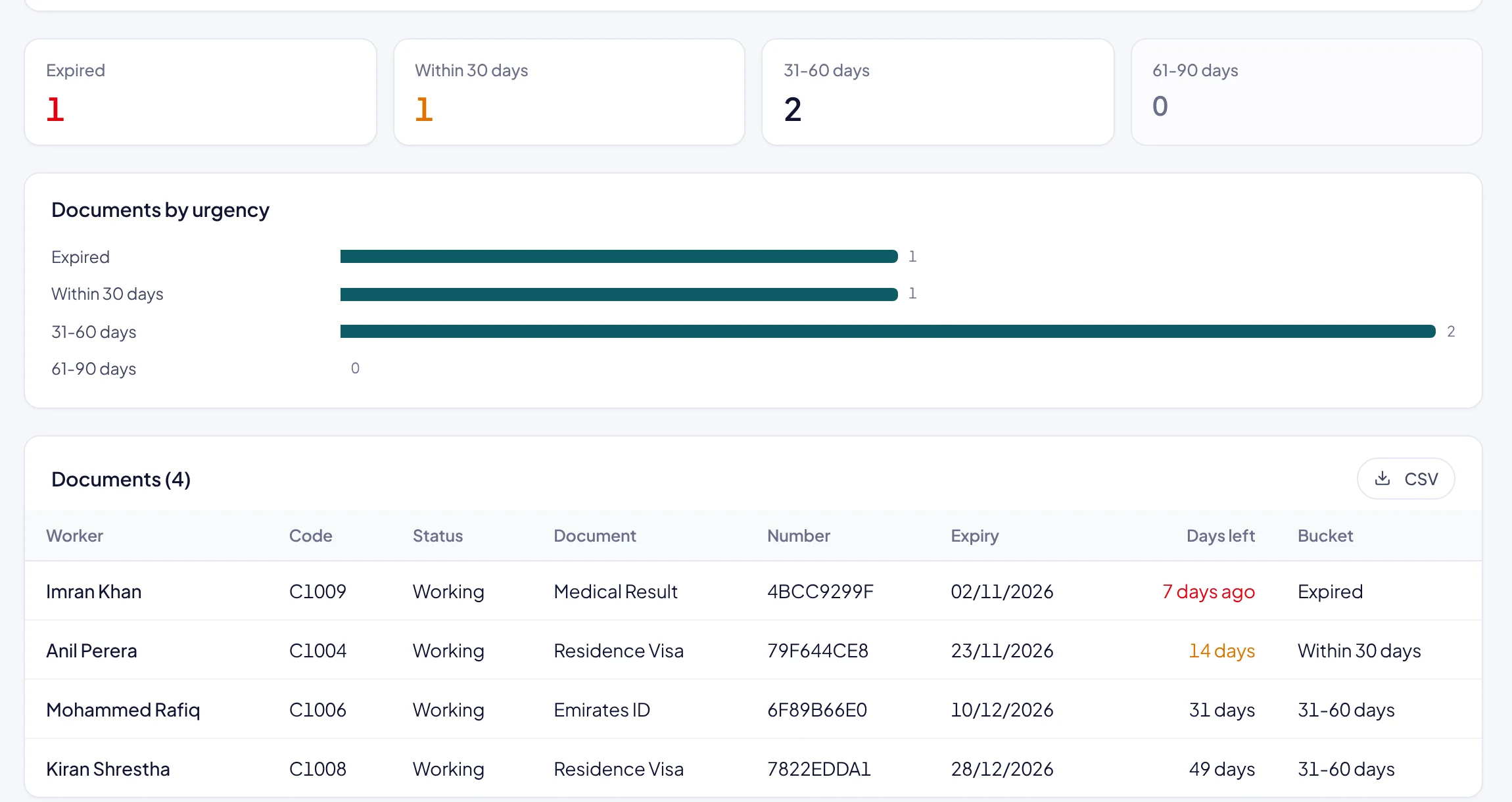
Expired, within 30 days, 31 to 60 and 61 to 90 days, with days left for each document.
- Your own document types
Passport, residence visa, Emirates ID, work permit, medical, insurance, police clearance, or any type you add.
- The worker knows too
A banner in the worker's portal tells them their document is due, so they bring it in on time.
- Report you can share
Print the expiry report or download it as CSV for your PRO.
Which documents can we track?
Any document with an expiry date: passports, residence visas, Emirates IDs, work permits, medicals, insurance cards and your own types.
Who sees the alerts?
Your team sees them on the dashboard and in notifications. The worker sees a banner in their phone portal.
Can we change how early the warning comes?
Yes. The warning period is a company setting, 60 days by default.
Can we store the scanned document?
Yes. Each document can carry its file on the worker's record.
See your month end in Rostiko
A 30-minute walkthrough with sample data, or start your free trial today.